
Spotify QR Code Generator

Turn a poster, a record sleeve or a café table into a one-scan route to your music.

Link any Spotify song, playlist, album, artist page or podcast, and style the code to fit your artwork.

Choose What to Share

Copy the link from Spotify's share option — any open.spotify.com link works.

A song
Perfect for a new single, a wedding first dance or a product launch soundtrack.
A playlist
Shops, cafés, gyms and events can share the music people hear on site.
An album or artist page
Musicians can point to the full release or to their artist profile for follows.
A podcast or episode
Hosts can print the show link on merch, flyers and event banners.

From Scan to Listen

  1. 01

    Scan the code

    Any phone camera reads it — no special scanner needed.

  2. 02

    Spotify opens

    With the app installed it usually opens there; otherwise Spotify opens in the browser.

  3. 03

    Tap play

    Nothing plays automatically. The listener sees your music and presses play when ready.

Create a Spotify QR Code

  1. 1Copy the Spotify linkIn Spotify, open the song, playlist, album, artist or podcast, tap the share option and choose Copy link.
  2. 2Choose Spotify in the Social tabOpen the Social tab in the generator above, select Spotify and paste the full link. Typing @name creates a link to a Spotify user profile, so paste the full link for artists and playlists.
  3. 3Design itMatch your cover art with your colours and logo — but keep the code darker than the background.
  4. 4Test and downloadScan the preview, check the right music opens, then save and download the PNG.

Where to Place Spotify QR Codes

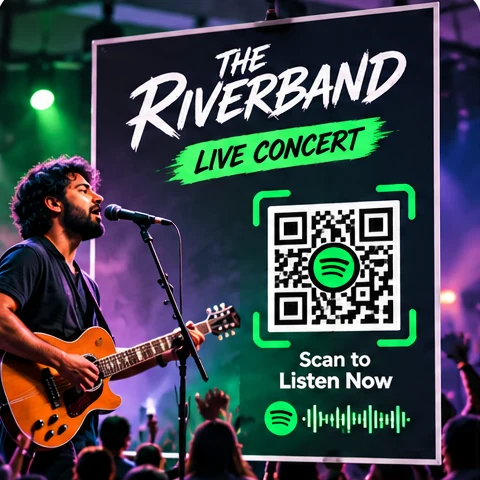
Spotify QR code on a live music gig poster linking to the band's music

Gig posters and flyers

Let people hear the band before they buy a ticket.
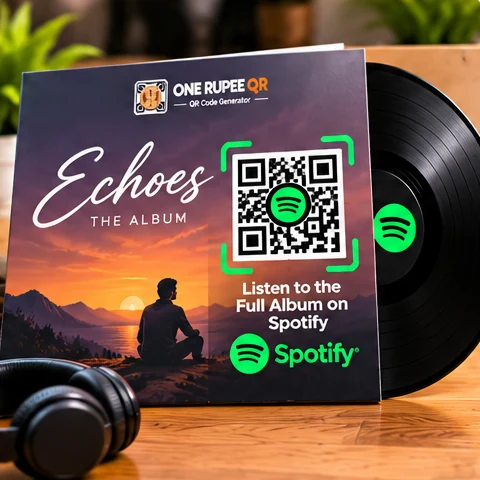
Spotify QR code on a vinyl record sleeve linking to an album

Merch and vinyl sleeves

Link fans from the physical product to the full album.
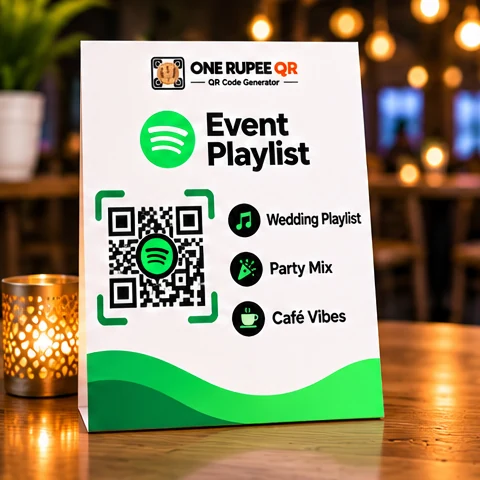
Spotify QR code on a wedding or event playlist table card

Event and venue cards

Share the playlist from a wedding, party or café.

Spotify Codes or a Spotify QR Code?

Spotify's own code

Spotify Code

  • The sound-wave code made inside Spotify.
  • Scanned with the Spotify app's own scanner.
  • Uses Spotify's look.
Standard QR code

One Rupee QR Spotify code

  • A normal QR code any phone camera can read.
  • Opens your open.spotify.com link.
  • Your colours and logo; with scan tracking on, edit the link later and count scans.

Common Spotify QR Code Problems

“This content is not available”

Some songs, albums and podcasts are only available in certain countries. Test from the regions where you will share the code.

It opens a user profile instead of your artist page

Typing @name creates a user profile link. Copy your artist page link from Spotify's share option and paste the full link.

A playlist shows as empty or private

Make the playlist public in Spotify before printing, or people may not see its tracks.

Design Tips for Music Codes

  • Pick a dark colour from your artwork for the dots.
  • Keep the background light, even on dark posters.
  • Leave a clear margin around the code.
  • Use a simple logo or band mark in the middle.
  • Add “Listen on Spotify” next to it.
  • Test it on the final print, not just the screen.

Spotify QR Code FAQs

How do I create a QR code for a Spotify song or playlist?

+

In Spotify, tap the share option on the song or playlist and choose Copy link. Then open the Social tab in the generator above, choose Spotify, paste the link, test the preview and download the PNG.

Can a Spotify QR code open an artist profile?

+

Yes. Copy the link to the artist page from Spotify's share option and paste the full link. Typing @name creates a user profile link, which is not the same as an artist page.

Will the code work for people without the Spotify app?

+

Yes. Without the app, the link opens Spotify in the phone's browser. Spotify may ask people to log in or sign up to listen to full tracks.

Can I print a Spotify QR code on a poster or product?

+

Yes. Download the PNG and add it to your design with a short label like “Listen on Spotify”. Keep strong contrast and test a printed sample at its real size.

Does the QR code link to Spotify or play music automatically?

+

It opens your Spotify link. Music does not start by itself — the listener sees the song, playlist or podcast and taps play.

Can I use a QR code for a podcast or album on Spotify?

+

Yes. Any Spotify link works, including podcasts, single episodes and albums. Copy the link from Spotify's share option and paste it.

How can I test the Spotify destination before sharing?

+

Scan the code with an iPhone and an Android phone, with and without the Spotify app. Check the right song, playlist or podcast opens and that it is available in the countries where you will share it.

Can I change the Spotify link after creating the QR code?

+

Yes, if you created a dynamic code with scan tracking on — change the destination in your dashboard, for example to a new single. A static code keeps the original link.

Put Your Music One Scan Away

Create a Spotify QR code for your posters, merch and events. Your first QR code is free.