

Event speakers
Put the code on your final slide and badge so the audience can follow and continue the discussion.
Share your X (formerly Twitter) profile or one important post with a single scan.
Put it on slides, badges, press kits and support signs so people can follow the conversation.
A printed @handle asks people to open X, search and pick the right account from look-alikes. Underscores, numbers and similar names make mistakes easy, and many people give up before they find you.
A QR code removes that friction: one scan opens your exact profile or post. It also works across a room — on a slide or a banner — where a long handle is hard to read and remember.
Put the code on your final slide and badge so the audience can follow and continue the discussion.

Print it in magazines, press kits and newsletters to bring readers to breaking updates.
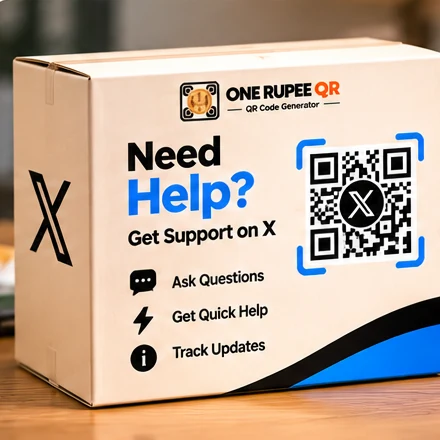
Signs and packaging can point to your support account for quick public help.
Visitors are asked to log in
X may ask people who are not signed in to log in before they can see more posts. Your profile name and bio usually still show.
“This account doesn't exist”
Check the handle for typos. If you changed your username, update the link — or the destination of a dynamic code.
A post link no longer works
The post may be deleted or the account protected. Use your profile link for long-lasting printed materials.
If several people speak for your brand, decide which account the printed code should promote — usually the main brand or support account rather than an individual who may leave.
A dynamic code, created with scan tracking on, lets you switch the destination later without reprinting, and shows how many people scanned at each event.
Copy your profile link, open the Social tab in the generator above, choose X / Twitter and paste it — or type @yourname. Test the preview with your phone, then save and download the PNG.
Yes. Tap the share option under the post, choose Copy link and paste it into the generator. Scanning the code opens that post.
No. X is the new name for Twitter. Links on x.com and the older twitter.com both work, and twitter.com links forward to x.com.
Where people already think about following or getting help: presentation slides, event badges, press kits, packaging and support signs. Add a short line such as “Follow us on X”.
Yes. Without the app, the link opens X in the phone's browser. X may ask visitors who are not signed in to log in to see more posts.
Your profile URL is x.com followed by your username, such as x.com/yourname. You can also open your profile and copy the address from the browser, or use the share option in the app.
Yes, if you created a dynamic code with scan tracking on — update the destination in your dashboard and the printed code follows it. A static code keeps the original link.
Scan the code with an iPhone and an Android phone, with and without the X app. Check the right profile or post opens, then test a printed sample at its real size.
Create an X QR code for your slides, badges and press kits. Your first QR code is free.